
INI Edit Translate 2026
Version 2.1.38.0 · Windows 11 · .NET Framework 4.8
Edit EEP model descriptions and installation files. Developed by Uwe Grimm / UGSo Software and published under the MIT licence.
Source code and README on GitHub
Download
Download Windows ZIP v2.1.38 · GitHub release and SHA-256
Extract the complete ZIP and run INI Edit Translate 2026.exe. Requires Windows 11 and .NET Framework 4.8. Keep DLLs and language folders together. Visual Studio is only needed to build from source. No installer is required.
Features
| Area | Capabilities |
|---|---|
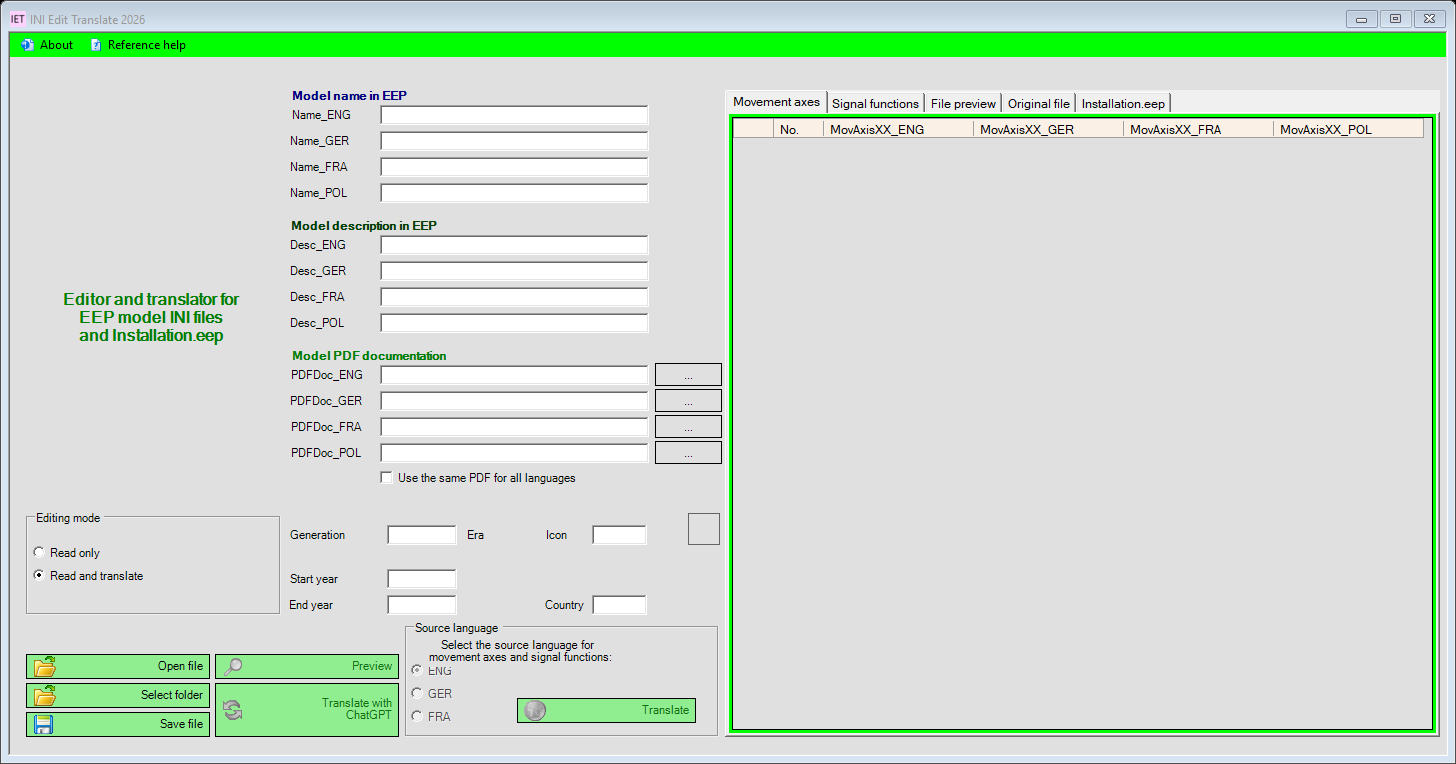
| Model texts | Edit names and descriptions in EN/DE/FR/PL |
| Metadata | Edit PDF references, generation, deployment years, country and icon |
| Movement axes and signal functions | Display, edit and translate language-specific entries |
| Installation.eep | Edit names and descriptions of supported installation sections |
| Preview | Compare the original file with the generated output preview |
| Table export | Export complete tables as tab-separated UTF-8 files with a BOM |
| Backups | Copy existing INI files before overwriting them, retaining their original filename |
ChatGPT translation
The application uses only the OpenAI Responses API. Each source text is translated into the three other target languages in one request, without an English intermediate translation. Repeated texts share a temporary cache within the same operation.
The progress dialog provides Cancel. The request timeout is 60 seconds; each text is limited to 24,000 characters. Incomplete responses, missing languages and changed placeholders such as {0}, %s or [e] are rejected. Existing texts and tables are preserved on failure.
DE/EN/FR interface texts have been reviewed for broken characters, wrong-language entries and mixed messages. Technical INI keys such as Name_GER are retained.
Setup and workflow
- Download the Windows ZIP above and extract all files.
- Start
INI Edit Translate 2026.exefrom the extracted directory, keeping its DLLs and language directories together. - Open About → Settings → OpenAI translation. Enter your own API key and model; the default is
gpt-4.1-mini. - Open a backed-up file in Read only mode first.
- Use Read and translate or a translation button. Select the source language for axes and signal functions.
- Review the preview and model texts, then save explicitly.
The information dialog selects the reviewed Info.de.rtf, Info.en.rtf or Info.fr.rtf to match the interface language. The historical Info.rtf is retained unchanged. Current help describes OpenAI translation and the restored reference program.
GitHub updates
Choose About → Check for updates to query the latest public GitHub release. There is no automatic startup check. Only a newer stable version is offered, with its version number and release notes.
Download and install downloads the Windows ZIP and SHA-256 checksum. Download and package validation can be cancelled and finish before the application closes. Save open files and close Info_trans before installation. Installation requires confirmation. A separate helper waits for the editor to exit, backs up existing files and installs the package.
Settings and the encrypted OpenAI key are retained. Existing reference-help FDB, CSV, DAT and configuration files, plus the original Info.rtf, are backed up and not replaced. Your model files are left intact. On installation failure, the updater attempts to restore files already replaced and records the result. Backups and reports are stored under %LOCALAPPDATA%/UGSo/IET2026/updates/<identifier>/.
No server credentials are needed. Checksums verify integrity; no additional digital package signature is implemented. 36 isolated update checks cover downloads, cancellation, package paths, retained data, locked files and rollback after partial writes.
Updater fix in 2.1.38
Process handoff now uses a stable Windows process handle instead of reading modules from an editor that is already closing. Four additional checks cover x86/x64, exited processes, identity mismatches and timeouts. If the old 2.1.37 helper fails before installation, extract the complete 2.1.38 ZIP into a new folder first. Back up your data and do not replace existing databases or dictionaries with package files.
The complete update from published 2.1.37 to 2.1.38 passed in a backed-up test copy: GitHub download, installation and automatic restart. All 32 previous setting values, 17 checked data/model files and 18 existing user configurations were preserved. A synthetic DPAPI test key remained unchanged and decryptable; the original state without a key was restored afterwards. No OpenAI request was made. Restart was confirmed through process ID, versions, hashes and configuration; Windows window capture failed afterwards. A fresh read-only GitHub dialog test correctly detected 2.1.38.
Second program: Info_trans
The package also includes help/Info_trans.exe. Reference help in the main editor opens it in the selected language. The actual IET2.FDB and its native Firebird 2.5.8 runtime were restored from the 2019 archive. No separate Firebird server installation is required.
The database contains 5 building entries, 2 goods entries and 2 update entries. Signals, rolling stock, track objects and landscape tables are empty in the original. Also included: 236 icon entries, 369 technical terms and 2,428 reviewed entries in the DE/EN/FR dictionary. English is the reference; confirmed German corrections and French translations are included. Continuation rows were merged and mixed terms were separated. American and British terminology retains its original labels. All dictionary review questions are resolved. The original DE/EN file and source database remain unchanged in the complete package.
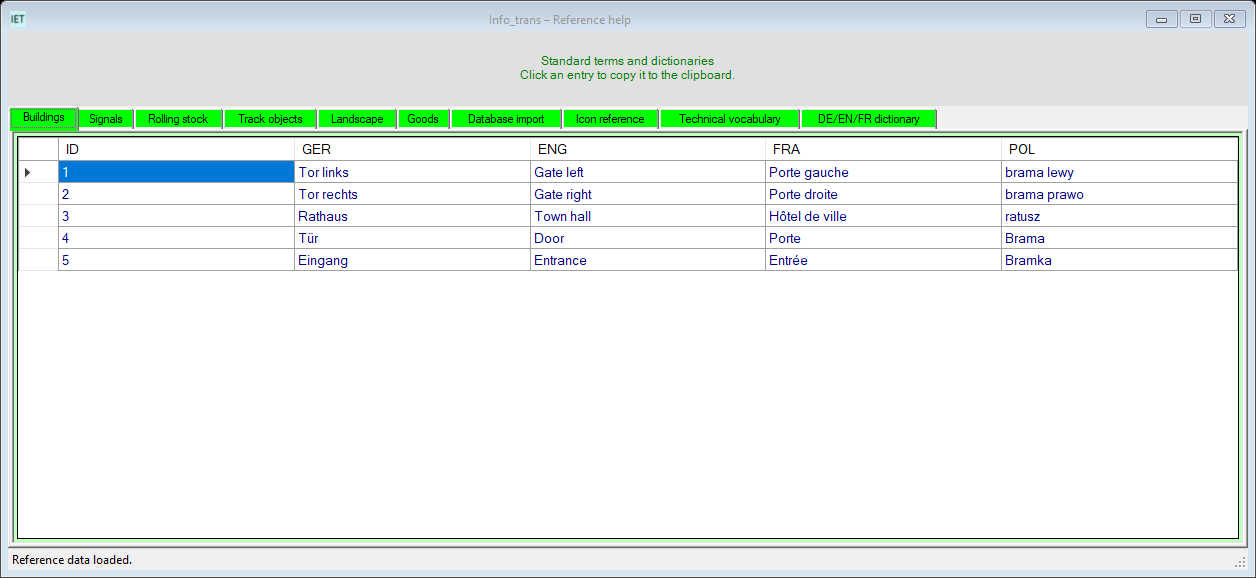
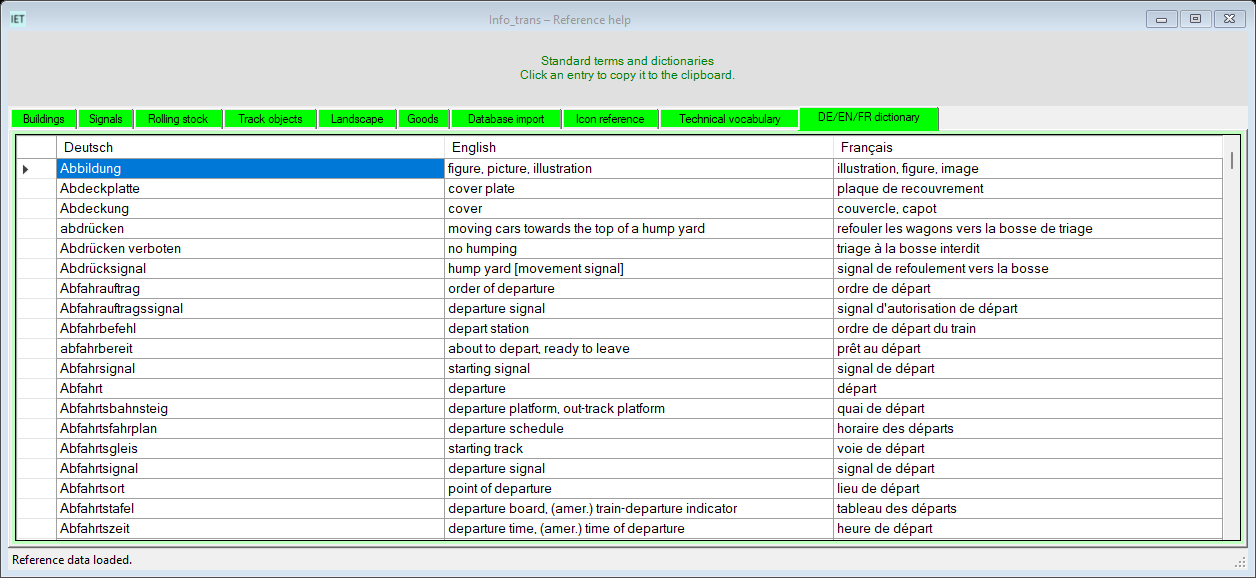
Info_trans is built for x86 to match the native DLLs. The managed provider FirebirdSql.Data.FirebirdClient 7.5.0.0 was verified with the real Firebird 2.5.8 database. Tests read separate database copies and compare all seven tables with the DE/EN/FR interface. Packaging includes the unchanged source database.
Missing or unloadable components are reported and SQL import is then disabled. A local database backup precedes an available manual SQL import. Automatic application updates remain disabled.
Data and privacy
Old registrations and personal databases are not imported. Settings are stored separately for each Windows user. OpenAI configuration and file backups are under %LOCALAPPDATA%/UGSo/IET2026/.
Windows DPAPI encrypts the API key for the current Windows account. Selected texts are sent to OpenAI with store: false. Internet access and separate API billing are required; a ChatGPT subscription does not replace API billing.
Updates and verification
GitHub updates are started manually and require installation confirmation. The old update server is not used. Google, LEO, Linguee and DeepL are no longer offered.
41 local checks with mocked API responses and Debug/Release builds cover failures, cancellation, restoration, export and rendered DE/EN/FR interfaces. Tests do not send texts to OpenAI. A live API request and generated translation quality still need verification with your own account. Not every possible INI schema is supported; review the resulting model data before use.
The user reviewed the complete local 2.1.37 release and confirmed it works before publication. The ZIP includes both programs, the native Firebird runtime, original database and corrected dictionary. ZIP integrity and SHA-256 were verified; all seven database tables were compared with the DE/EN/FR interface using separate copies. Screenshots show the current design with neutral data and no private settings.