Adapted from the canonical English UIX documentation by Lint-Free-Technology/uix, CC BY 4.0. Source:
dev/ 9.0.0-beta.2, revision 26e54e6, reviewed 22 October 2026. This source mirror may describe preview behavior beyond stable 8.4.0. Markup adapted for this site; the original documentation remains authoritative.
UIX 9.0.0-beta.2 preview
This Forge content follows the reviewed dev revision, separate from the stable 8.4.0 baseline.
Foundries
A foundry is a named UIX Forge configuration stored in Home Assistant. It acts as a reusable base configuration: define forge, element, and (when exported by the Forge editor) native element_base fragments once, give it a name, and reference it in any number of elements with a single foundry: key. Local fragments are merged on top, so you can still override values per element.
Global foundries
There are two special reserved foundry names which, if defined, are automatically merged into every forge configuration across your dashboard, whether they explicitly request a foundry or not.
global— if a foundry with this exact name exists, it is merged as the absolute base configuration for all forges.global_<mold-type>— if a foundry with this exact name exists (e.g.global_card,global_badge,global_row), it is merged immediately afterglobalfor all forges of that mold. The mold is determined either from the local config or from an explicitly referenced foundry.
These are useful for defining a consistent base set of macros, sparks, or default styles without needing to add foundry: my_base_foundry to every element.
See Example Global foundry using macro for an example of a global foundry in use.
Managing foundries
Foundries can be managed in two ways: as UI Foundries configured directly in the Home Assistant UI (suitable for small numbers of foundries), or as YAML File Foundries stored on disk (better for larger sets, bulk authoring, and version control).
UI Foundries
UI Foundries are configured directly through the Home Assistant integration UI and managed by the integration.
- Go to Settings → Devices & Services → UI eXtension → Configure (cog).
- Choose Manage UI foundries, then one of the options:
- Add a foundry — enter a name and a YAML config object.
- Edit a foundry — select a saved foundry from the dropdown, then update its config.
- Delete a foundry — select a saved foundry from the dropdown and confirm.
The foundry name must be unique. It is used as the foundry: key in your element config.
YAML File Foundries
You can store foundries in ordinary YAML files anywhere inside (or accessible from) your HA config directory and register those files with UIX. This approach:
- supports version control (git, etc.)
- lets you use any text editor
- supports YAML anchors (
&) and merge keys (<<: *) for DRY configurations - supports
!includeand!secretdirectives (no quoting required — the file is loaded by HA's native YAML loader)
File format
Each file must have a top-level uix_foundries key whose value is a mapping of foundry names to foundry configs:
uix_foundries:
  light_tile:
    forge:
      mold: card
    element:
      type: tile
      entity: light.bed_light

  switch_tile:
    forge:
      mold: card
    element:
      type: tile
entity: switch.living_roomYAML anchors
YAML anchors and merge keys work well for sharing repeated values at the same level of a config. A common use-case is reusing formatting options across multiple entities in a custom:multiple-entity-row card:
uix_foundries:
  browser_multiple_entity_anchors:
    forge:
      mold: row
      billets:
        id: my_browser_id
    element:
      type: custom:multiple-entity-row
      entity: binary_sensor.{{ id }}
      entities:
        - entity: sensor.{{ id }}_browser_battery
          <<: &width                    # define anchor inline on first use
            format: precision2
            styles:
              text-align: center
        - entity: sensor.{{ id }}_browser_height
<<: *width # reuse the same formatting optionsYAML merge keys are shallow
YAML merge keys (<<: *anchor) perform a shallow merge — they only copy top-level keys. This means they are not suitable for sharing a common forge + element base across multiple foundries, because merging at the foundry root level would replace the entire element object rather than merging its contents. Use nested foundries instead, which performs a deep recursive merge.
Registering a file
- Go to Settings → Devices & Services → UI eXtension → Configure (cog).
- Choose Manage foundry files, then Register a foundry file.
- Enter the path to the file — either absolute or relative to the HA config directory (e.g.
uix/my_foundries.yaml).
UIX validates the file before saving the registration. If the file cannot be found, fails to parse, or is missing the required uix_foundries key, an error is shown.
Reloading files
File contents are read when foundries are first requested by the browser and whenever foundries are updated. To force all connected browser sessions to reload the latest file contents without restarting Home Assistant:
- Go to Settings → Devices & Services → UI eXtension → Configure (cog).
- Choose Manage foundry files, then Reload foundry files.
If your dashboard is in YAML mode, you can also use the dashboard's built-in Refresh button — UIX listens for the config-refresh event that the refresh button dispatches and automatically re-reads all registered foundry files.
Home Assistant Tools YAML tab also has a UIX Foundries reload button which will show any errors in file foundries.
Removing a file registration
- Go to Settings → Devices & Services → UI eXtension → Configure (cog).
- Choose Manage foundry files, then Deregister a foundry file and select the file from the dropdown.
This removes the registration only — the file itself is not deleted.
Precedence
When a foundry name appears in both a YAML file and a UI foundry, the UI foundry takes precedence. When the same name appears in multiple files, the last registered file wins. This includes the special Global foundry names of global and global_<mold-type>.
Using a foundry
Reference a foundry by name using the foundry: key:
type: custom:uix-forge
foundry: my_tileThe foundry's forge, element, and optional element_base configs are applied as if they were written directly on the UIX Forge config. Foundry element_base holds the card or badge settings that pass through unchanged, while local element_base can extend or replace it.
You can add or override any key locally — local values take precedence over the foundry:
type: custom:uix-forge
foundry: my_tile
element:
entity: light.kitchenFoundry config structure
A foundry is a YAML object that can contain foundry, forge, element, and an optional element_base key:
forge:
  mold: card
  uix:
    style:
      hui-tile-card $: |
        ha-card {
          --tile-color: red !important;
        }
element:
  type: tile
entity: "{{ 'sun.sun' }}"Foundry element contains the values Forge applies. An optional Foundry element_base contains card or badge settings that pass through unchanged: it is merged through Foundry inheritance before any local element_base, and its templates are evaluated by Home Assistant or the wrapped element rather than Forge. It is editor-preserved source: create or update it from YAML generated by the Forge editor's Export tab, and retain it if you want that Native configuration available for future visual-editor support. element_disabled_paths remains local to the consuming Forge: a Foundry, including global and global_<mold>, cannot set it.
Using a Foundry type with the Native editor
A Foundry may put a concrete element type in its element mapping. It remains a normal complete Forge element until a consuming Forge adds element_base. To use it with the Native editor, repeat the same literal type in the local element_base; this declares the Native element while retaining the other Foundry element fields as values Forge applies.
# Foundry: room_tile
forge:
  mold: card
element:
  type: tile
  name: "{{ config.entity }}"

# Dashboard card
type: custom:uix-forge
foundry: room_tile
element_base:
  type: tile
entity: light.kitchenThe two type values must be the same concrete string. A dynamic type, a mismatch, or a local element.type is invalid when element_base is present. The Foundry's inherited type is used only as the matching Native anchor and is removed from the overlay before composition.
See Keep the element's configuration in element_base for the complete model, and UIX Forge for the other forge and element options.
Including external files and secrets
Foundry configs support HA YAML directives such as !include and !secret. The behaviour differs slightly depending on whether the foundry is a UI Foundry or a YAML File Foundry.
- In a YAML File Foundry — the file is loaded by HA's native YAML loader, so
!includeand!secretwork exactly as they do inconfiguration.yaml. No quoting is required. - In a UI Foundry — foundries are entered as plain text in the browser. The browser's YAML parser does not understand
!tags, so they must be quoted as string literals and are resolved by UIX at serve time.
Quoting required in UI Foundries
In the ObjectSelector / YAML editor in the HA UI, !include and !secret must be quoted. Write them as "!include path/to/file.yaml" or "!secret my_key".
In YAML File Foundries on disk they are unquoted, as in any other HA YAML file.
!include
Use !include to replace any value with the contents of an external YAML file. The path is relative to the HA config directory.
# /config/uix/my_forge_styles.yaml
style: "ha-card { background: teal; }"# In a YAML File Foundry — no quoting needed
uix_foundries:
my_tile:
forge:
mold: card
element:
type: tile
entity: "{{ config.entity }}"
uix: !include uix/my_forge_styles.yaml# In a UI Foundry — must be quoted
forge:
mold: card
element:
type: tile
entity: "{{ config.entity }}"
uix: "!include uix/my_forge_styles.yaml"The included file must contain the full value for the key it replaces. In the example above my_forge_styles.yaml contains a uix config dict (with a style key), so the uix: key of the element ends up as that dict after resolution.
!secret
Use !secret to pull a value from secrets.yaml in the HA config directory.
# /config/secrets.yaml
accent_colour: teal
lock_pin: "1234"# In a YAML File Foundry — no quoting needed
uix_foundries:
my_tile:
forge:
mold: card
billets:
accent: !secret accent_colour
element:
type: tile
entity: "{{ config.entity }}"# In a UI Foundry — must be quoted
forge:
mold: card
billets:
accent: "!secret accent_colour"
element:
type: tile
entity: "{{ config.entity }}"For more information on HA secrets see https://www.home-assistant.io/docs/configuration/secrets/.
Merge behaviour
When a forge configuration is resolved, it merges settings from several sources. Keys are merged in this order — later entries win:
- Global — the
globalfoundry config (if it exists). - Global Mold — the
global_<mold-type>foundry config (if it exists for the resolved mold type). - Foundry Base(s) — if the named foundry itself has a
foundry:key, its bases are resolved recursively. - Foundry — the explicitly named foundry config.
- Local — keys defined directly on the forge config.
For object values (e.g. forge, element, and element_base), merging is recursive: nested keys are merged individually rather than the whole object being replaced. A Foundry element_base merges before any local element_base; Forge then combines those card/base settings with the element values, subject to the matching-type rule above. For array and scalar values, the local value replaces the foundry value entirely, with one exception for forge.sparks:
- Local spark entries are appended by default.
- To override/merge a spark, give both entries the same
id(orspark_id). - Spark override matching requires both the same identifier and the same spark
type. - Set
forge.sparks: []locally to explicitly clear inherited sparks.
Merge example
Foundry weather_tile:
forge:
  mold: card
  macros:
    entity_color: "my_macros.jinja"
element:
  type: weather-forecast
  show_current: true
show_forecast: falseElement config:
type: custom:uix-forge
foundry: weather_tile
element:
  entity: weather.home
show_forecast: trueResolved config:
forge:
  mold: card
  macros:
    entity_color: "my_macros.jinja"
element:
  type: weather-forecast
  entity: weather.home        # from element
  show_current: true          # from foundry
show_forecast: true # overridden by elementNested foundries
A foundry can itself reference another foundry using the foundry key. This lets you build a hierarchy of shared configs.
Foundry base_tile:
forge:
  mold: card
  uix:
    style:
      hui-tile-card $: |
        ha-card {
          border-radius: 20px;
        }
element:
type: tileFoundry light_tile (extends base_tile):
foundry: base_tile
element:
  vertical: false
  features_position: inline
  features:
- type: light-brightnessForge:
type: custom:uix-forge
foundry: light_tile
element:
entity: light.living_roomThe resolved config merges all three layers: base_tile → light_tile → forge config.
Circular references
If a chain of foundry references loops back to a foundry already in the chain, UIX detects the cycle and throws an error. Always ensure your foundry hierarchy is acyclic.
Billets in foundries
Billets are a good fit for foundries because they act as named slots that individual forge instances can fill or override without touching the foundry templates.
There are two complementary patterns:
Pattern 1 — define defaults in the foundry, override per instance
Define the billet with a sensible default in the foundry. Each instance can leave it as-is or override it with a local value. Templates in the foundry use the billet directly without needing any fallback logic.
Foundry accent_tile:
forge:
  mold: card
  billets:
    accent: teal
element:
  type: tile
  entity: "{{ config.entity }}"
  uix:
    style: |
      ha-card {
        --tile-color: {{ accent }} !important;
}Instance — accepts the foundry default:
type: custom:uix-forge
foundry: accent_tile
entity: light.bed_light
Instance — overrides the accent color:
type: custom:uix-forge
foundry: accent_tile
entity: light.bed_light
forge:
  billets:
    accent: blue
Pattern 2 — define empty billet slots in the foundry
When the foundry should not impose any value and the billet is expected to be supplied by the instance, define the billet as ~ (null). The foundry templates must then handle the none case gracefully, either by providing a fallback using or or default(), or by guarding with {% if %}.
Foundry flexible_tile:
forge:
  mold: card
  billets:
    accent: ~          # empty slot — instance is expected to override this
    label: ~           # optional label, templates handle none gracefully
element:
  type: tile
  entity: "{{ config.entity }}"
  name: "{{ label or state_attr(config.entity, 'friendly_name') }}"
  uix:
    style: |
      ha-card {
        {%- if accent %}
        --tile-color: {{ accent }} !important;
        {%- endif %}
}Instance — supplies the accent, leaves label empty:
type: custom:uix-forge
foundry: flexible_tile
entity: light.bed_light
forge:
  billets:
    accent: teal
Instance — supplies both billets:
type: custom:uix-forge
foundry: flexible_tile
entity: light.bed_light
forge:
  billets:
    accent: pink
    label: Bed sconce
UI Foundries: comments are stripped
Home Assistant stores UI foundry configs as JSON, so YAML comments are not preserved. Use descriptive billet names (e.g. accent_color, card_label) to make the purpose of each slot self-evident to anyone editing instances. YAML File Foundries stored on disk are not affected — comments in those files are preserved as usual.
UIX styling from a foundry
A foundry can include a uix key under forge that applies UIX styling to the forged element wrapper. Foundry styles are merged with any uix key in the local forge config, with the local forge config taking precedence.
Combining styles
If you need to have root styling and shadow root styling, use YAML selectors placing your root styling in the root key .:. If you use text only for style: on element you will override all yaml styles in foundries.
# Foundry: "styled_tile"
forge:
  mold: card
  uix:
    style:
      hui-tile-card $: |
        ha-card {
          --tile-color: red !important;
        }
element:
type: tile# Forge — adds its own uix style on top
type: custom:uix-forge
foundry: styled_tile
forge:
uix:
style:
.: |
:host {
--ha-card-border-radius: 20px;
}
element:
entity: light.bed_light
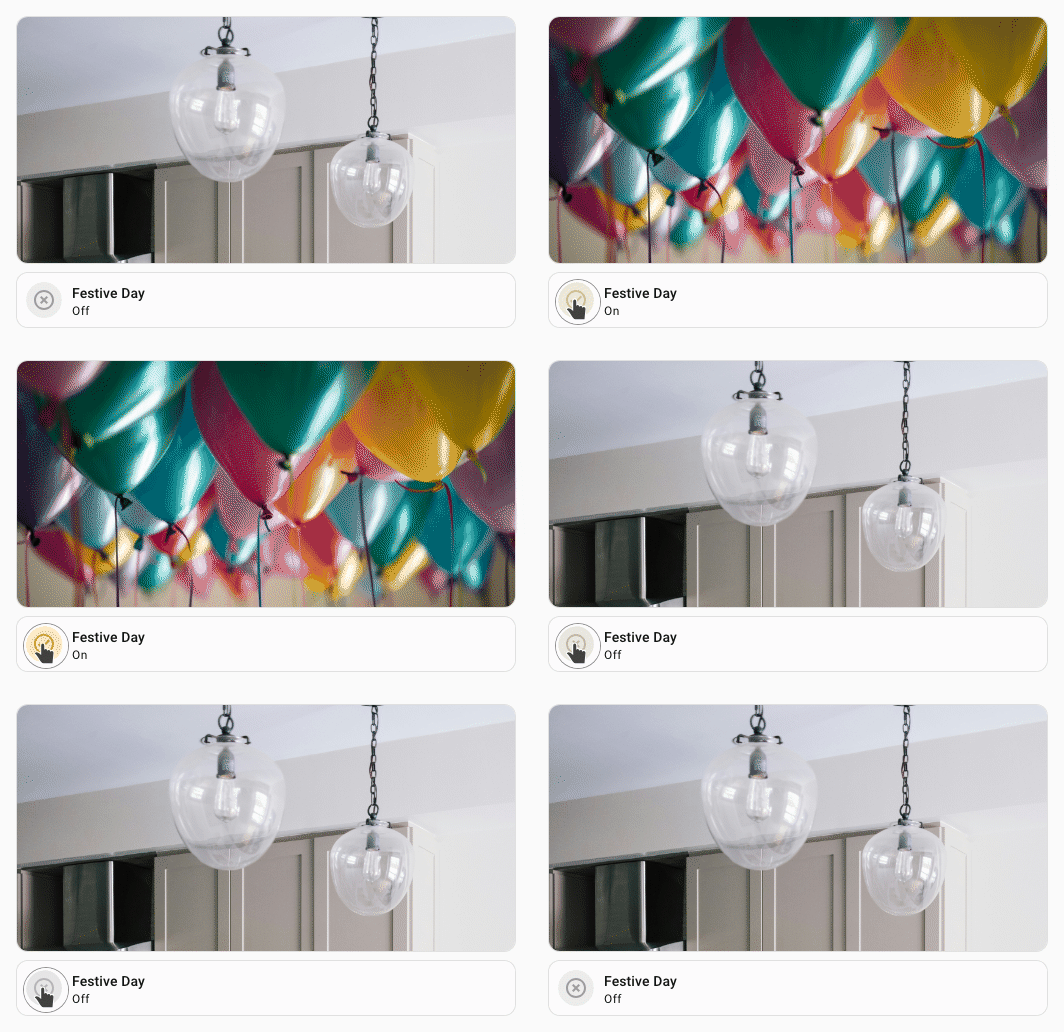
Example Global foundry using macro
TIP
If you need to use a macro as a boolean it needs to use the returns format. Otherwise the macro will return a string and you will get unexpected results.
Foundry named global
forge:
  macros:
    is_festive_day:
      returns: true
template: "{% do returns(is_state('input_boolean.festive_day','on')) %}"UIX Forge picture card:
type: custom:uix-forge
forge:
  mold: card
  grid_options:
    columns: full
    rows: 4
element:
  type: picture
  image:
    media_content_id: |
      media-source://media_source/local/{{ 'birthday.jpg' if is_festive_day() else 'kitchen.jpg' }}